The JAMB CAPS 2026 dashboard is now open. Candidates can log in to check, accept, or reject their admission offers. But that is not all, you can do much more on the CAPS dashboard. Keep reading to find out what other actions are available.
JAMB CAPS Dashboard Overview
The Joint Admissions and Matriculation Board Central Admission Processing System better known as JAMB CAPS, is an online platform that plays a key role in the admission process for Nigerian tertiary institutions. It was introduced to promote transparency and to ensure merit-based admissions. Through CAPS, you can check your admission status, accept or reject offers, and even monitor transfer approvals if you are offered a course different from your initial choice. It is important to log in regularly to avoid missing an admission offer, as some institutions have deadlines. For the best experience, access the portal using a computer or enable desktop mode on your mobile browser.
Below are list of things you can do on the Joint Admissions and Matriculation Board (JAMB) Central Admission Processing System:
| JAMB CAPS FEATURES |
| Purchase e-PIN |
| Check UTME Results |
| Accept Admission |
| Reject Admission |
| Upload O’Level and A’Level Results |
| Change of Course & Institution |
| Obtain Transfer Approval |
| Check Matriculation List |
| Print Examination Slip |
| JAMB Regularization |
How to Login JAMB CAPS 2026
Accessing your JAMB CAPS dashboard is straightforward and can be done in just a few minutes. To get started, simply follow the steps below to log in to your profile and access the CAPS portal.
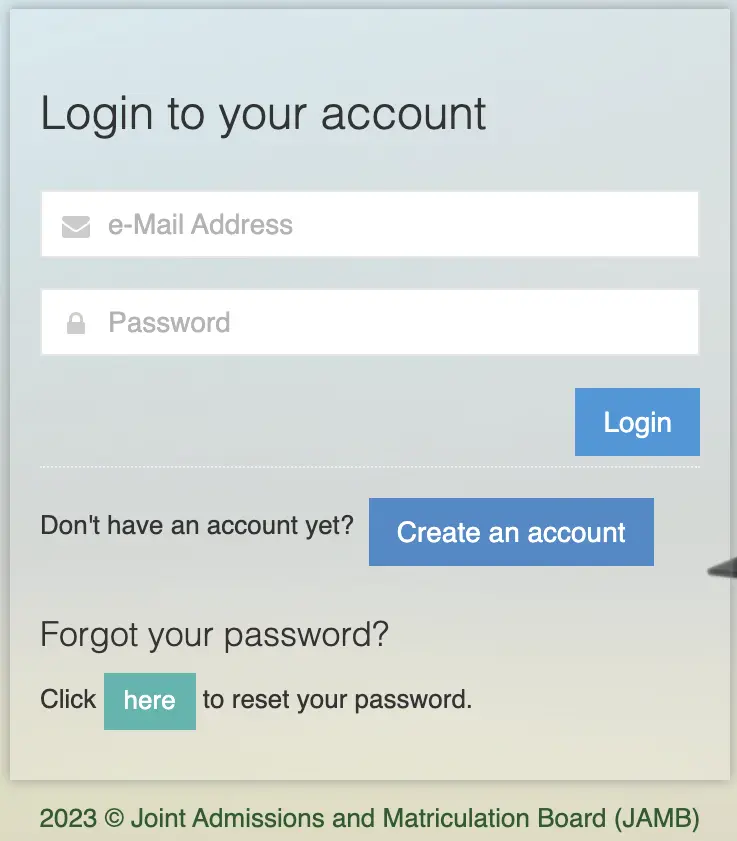
- Visit https://www.jamb.gov.ng/EfacilityLogin
- Input your email address
- Input your password
- Click “Login”
Clicking “Login” will take you to the offical portal where you can perform series of actions.
If you do not remember your password, you can reset it immediately by simply using the “Forgot your password” option.
How to Accept or Reject Admission on JAMB CAPS 2026
One of the main reasons candidates visit the Joint Admissions and Matriculation Board (JAMB) portal is to check and respond to their admission status on CAPS (Central Admission Processing System). If you’re a UTME or Direct Entry candidate, understanding how this process works is crucial to securing your place in a tertiary institution. Know that when accept an admission offer it means other institutions will not consider your application anymore. While rejecting an admission offer means other institutions can still offer you admission.
Accept Admission:
- Visit https://www.jamb.gov.ng/EfacilityLogin
- Login with your email and password
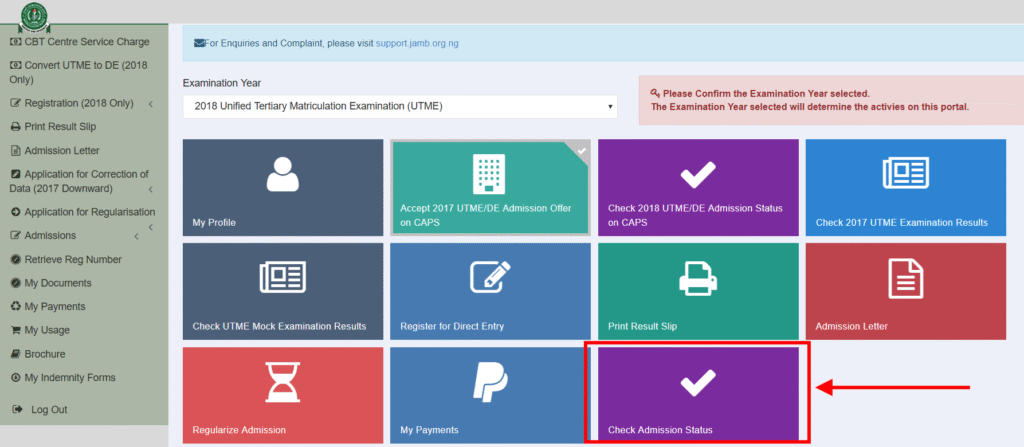
- Click “Check Admission Status“
- Click “Access my CAPS“
- Click “ACCEPT” button
Reject Admission:
- Visit https://www.jamb.gov.ng/EfacilityLogin
- Login with your email and password
- Click “Check Admission Status“
- Click “Access my CAPS“
- Click “REJECT” button
Once you accept the admission offer on CAPS, a confirmation message will pop up on your screen. It is important to print your JAMB admission letter right away, because you will need it for clearance, registration, and other official purposes. Accepting an offer means you’ve officially committed to that institution and course, no other school can offer you admission afterward. After this step, head over to your school’s portal to pay your acceptance fee and follow any further instructions. Also, keep an eye on their website for updates on screening dates and registration procedures.
Frequently Asked Question (FAQs)
It means your school has recommended you for admission, and JAMB is currently reviewing it. If approved, your status will change to “Admitted.”
No. Once you accept an admission offer on CAPS, you cannot reject it later. Make sure you’re fully sure before accepting.
Yes. You must accept it on both platforms. Failure to accept on CAPS may result in your admission not being recognized by JAMB.
No, CAPS does not allow direct changes.
Admissions are released in batches. There’s no fixed date, so keep checking regularly, especially after your institution starts releasing lists.