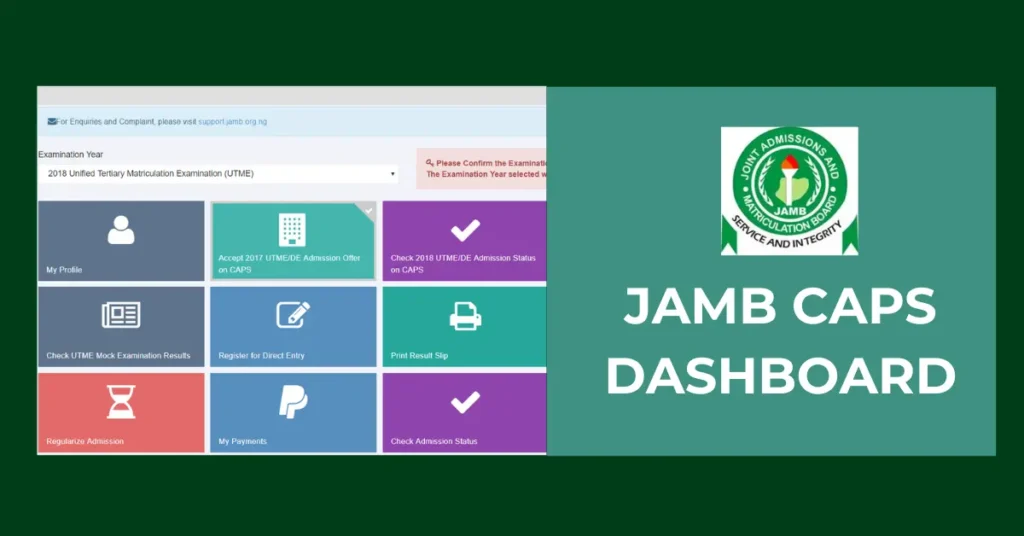
The JAMB Admission Portal is a crucial platform for students in Nigeria who are seeking admission into universities, polytechnics, colleges of education, and other tertiary institutions. It serves as the official gateway for checking admission status, accepting or rejecting offers, and accessing other important admission-related services.
The Joint Admissions and Matriculation Board (JAMB) plays a central role in Nigeria’s education system by regulating the admission process into higher institutions. Each year, millions of candidates register for the Unified Tertiary Matriculation Examination (UTME) which is the standardized test used to assess applicants for admission into various tertiary institutions across the country. Beyond conducting examinations, JAMB ensures fairness and transparency in the admission process by collaborating with institutions and using the Central Admission Processing System (CAPS) to streamline decisions.
What is the JAMB Admission Portal?
The JAMB Admission Portal is an online platform created by the Joint Admissions and Matriculation Board (JAMB) to simplify and manage the admission process for tertiary institutions in Nigeria. It acts as a central hub where candidates can track their admission status, accept or reject offers, and communicate directly with JAMB throughout the admission period. The portal ensures a transparent and organized admission process, giving students real-time access to important updates and decisions regarding their applications. The portal also provides access to important services, such as:
| 1 | Checking UTME results |
| 2 | Printing admission letters |
| 3 | Correcting data (such as bio-data or course changes) |
| 4 | Uploading O’level results (WAEC, NECO, etc.) |
How to Access the JAMB Admission Portal
Simply follow these steps to access the JAMB admission portal:
- Visit the Official JAMB Portal
Go to https://www.jamb.gov.ng using any internet-enabled device. - Click on “E-Facility”
On the homepage, locate and click the “E-Facility” link. This will redirect you to the JAMB E-Facility login page. - Log in to Your JAMB Profile: Enter your email address and password used during UTME registration. Click “Login” to access your dashboard.
- Access the Admission Status Page: Once logged in, scroll down and click on “Check Admission Status” under the “Admission” section.
- Check Your Admission: Select your exam year and input your JAMB registration number. Click “Check Admission Status” to view your current status.
How to Check JAMB Admission Status (2026)
You can check your admission by following these steps:
- Visit https://efacility.jamb.gov.ng
- Log in with your JAMB email and password.
- Click “Check Admission Status.”
- Select your exam year (2025) and enter your JAMB registration number.
- Click “Access my CAPS.”
- Go to “Admission Status” to see if you’ve been admitted.
- If admitted, accept or reject the offer.
- Then go back to print your JAMB Admission Letter.
Tip: On a phone, switch your browser to “Desktop site” for CAPS to load properly.
How to Accept or Reject 2026/2027 Admission on the JAMB Portal
To accept or reject your 2026/2027 admission offer on the JAMB CAPS portal, follow these steps:
- Visit the JAMB e-Facility Portal.
- Log in with your registered email and password.
- Click on “Check Admission Status”.
- Select your exam year and enter your JAMB registration number.
- Click “Access my CAPS”.
- On the left menu, select “Admission Status”.
- If offered admission, you’ll see options to “Accept Admission” or “Reject Admission”. Click your choice and confirm.
Please note that when you reject an offer, it cannot be reversed.
Common Issues with JAMB Admission Portal and Solutions
While you are trying to check your admission status, you will likely encounter some issues. Here is how to solve those issues:
| Incorrect Login Details | If you find it difficult to login due to incorrect password, use the “Forgot Password?” option to reset it. But make sure you re-check your login details first. |
| Wrong Course Showing | If the course showing does not match your choice, you may need to do a change of course if required by your chosen school. This often happens if the school transfers you to another department. |
| Admission Not Reflecting on JAMB Portal | If you have been offered admission by your school, but it does not show on JAMB, you either wait for your school to forward the admission to JAMB or you visit your school’s admission office or website for guidance. Make sure you have uploaded your documents properly. |
Frequently Asked Questions (FAQs)
Visit a JAMB-accredited CBT center to upload your WAEC/NECO result. Without it, admission cannot be confirmed.
Yes. You can either accept or reject the admission offer. Be careful as rejecting it means you may not be considered again for that admission.
It means your name is being considered for admission. You are close to getting admitted, just be patient.
No. You need your JAMB registration number to check your admission status.
Go to JAMB CAPS and check the “Transfer Approval” section. If a transfer is initiated, you need to accept the transfer before admission can be confirmed.
Make sure you check your status regularly and make sure all necessary actions are completed to secure your place in the institution of your choice.